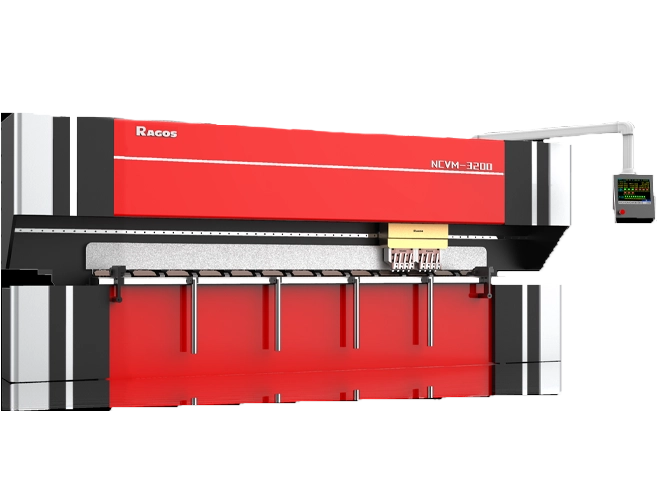


إتقان انحناء القوس ذو نصف القطر الكبير باستخدام فرامل الضغط ESA S860
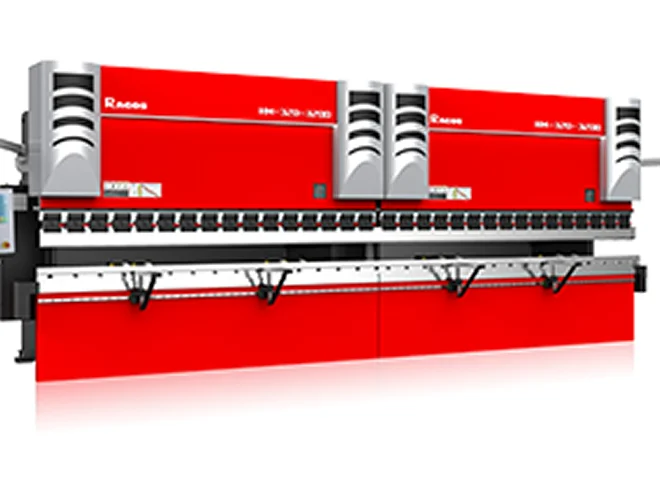
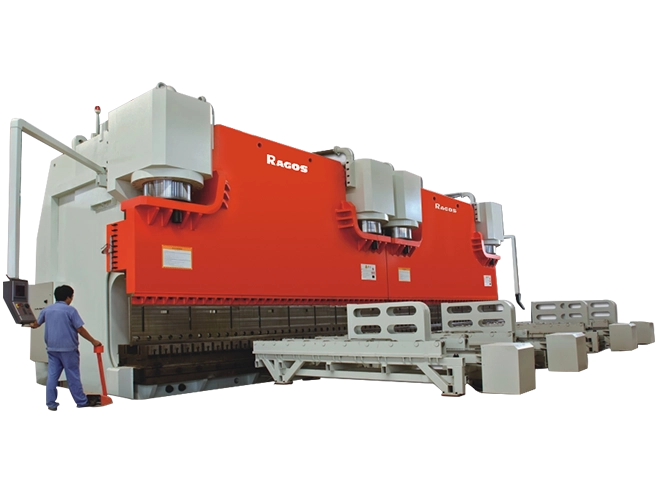
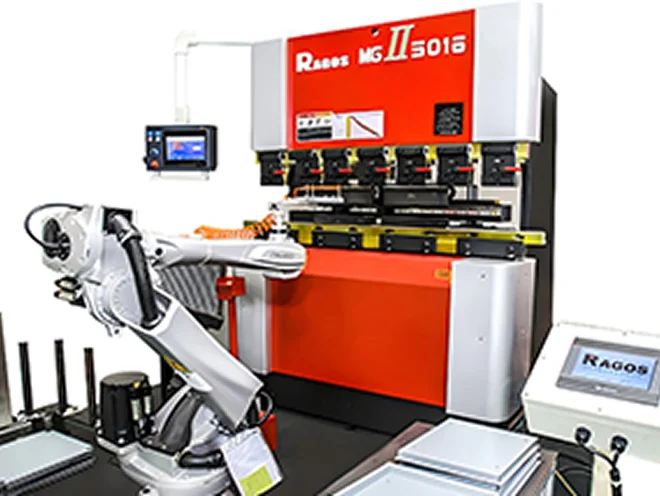
فرامل الضغط ESA S860 مناسبة جدا للثبات, انحناء قوس ذو نصف قطر كبير قابل للتكرار على صفائح معدنية أو صفيحة. مقارنة بالانحناء الزاوية القياسي, يتطلب هذا العمل تحكما أفضل في تباعد الخطوات, سبرينغباك, تكوين الاتساق, وجودة السطح. البرنامج الضعيف قد يؤدي إلى نقاط مسطحة أو انحناء غير متساو.
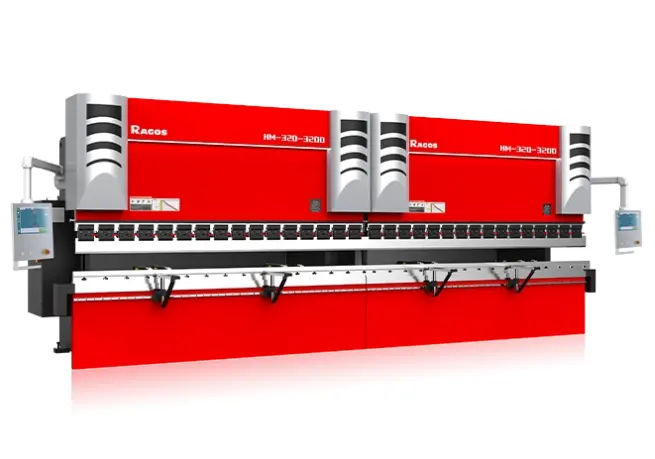
لمستخدمي JS RAGOS, يوفر ESA S860 بيئة برمجة متكاملة لإنشاء, محاكاة, وتحسين تسلسلات انحناء الأقواس. سيشرح هذا الدليل كيفية إدارة الانحناء بنصف قطر كبير ضمن سياق البرمجة, سواء من الناحية الرسومية أو العددية, بنهج أكثر تحكما وتوجها نحو الإنتاج.
مقدمة to tمكابح الضغط ESA S860
تم تصميم فرامل الضغط ESA S860 ل الانحناء الدقيق عمل يتطلب توازنا قويا بين تحكم المشغل وكفاءة البرمجة. في التطبيقات ذات نصف القطر الكبير, يصبح هذا التوازن ذا قيمة خاصة لأن الشكل النهائي يخلق من خلال سلسلة من الشكل الصغير, الانحناءات المسيطر عليها بدلا من ضربة تشكيل مباشرة واحدة. تعتمد جودة النتيجة على مدى دقة ترجمة البرنامج لبيانات التصميم إلى حركة آلية خطوة بخطوة.
عمليا, يدعم ESA S860 هذا العمل من خلال واجهة تحكم موجهة للمستخدم, منطق الانحناء القابل للبرمجة, والتحقق القائم على المحاكاة. يسمح للمشغل بتعريف ملف قطعة العمل, أدخل بيانات المواد, ضبط تسلسل الانحناء, ومراجعة مسار التكوين قبل بدء الإنتاج. تساعد هذه العملية في تقليل التجربة والخطأ في أرض الورشة.
لمصنعين مثل JS RAGOS, القيمة الرئيسية لهذا النظام ليست فقط سهولة الاستخدام, لكن التحكم في العمليات. عندما تتم برمجة الأقواس ذات نصف القطر الكبير بشكل صحيح, يمكن للجهاز أن يساعد في التوصيل:
• تكوين منحنيات أكثر اتساقا عبر فترات الإنتاج.
• تحكم أكبر في مسافة الخطوات وتقدم الانحناء.
• تقليل تصحيح تعديلات الإعداد أثناء فحوصات القطعة الأولى.
•تكرار أفضل في النسخة المخصصة, قطع صغيرة.
• ثقة أكبر في العمل مع المواد الصعبة.
لا توجد مشاكل في قدرات الانحناء القوسي في ESA S860 Press Brake مع نظام Precision Arc Bending System, بغض النظر عما إذا كان المشغل يبرمج لوحة مستقيمة أم لا., لوحة منحنية, أو حتى قطعة معقدة هيكليا.
البرمجة الرسومية لجهاز ESA S860: الإرشادات
- تفعيل الجهاز واختيار الوضع الرسومي
لنبدأ, شغل الجهاز وتحقق من تهيئة وحدة تحكم ESA S860. ثم, ستظهر الشاشة الرئيسية وستتجه إلى الشاشة التفاعلية. لغرض الانحناء القوسي, هذه الشاشة ضرورية لأنها تساعد المشغل في بناء قطعة العمل والتحقق من أن الشكل المبرمج يتوافق مع الرسم المقابل.
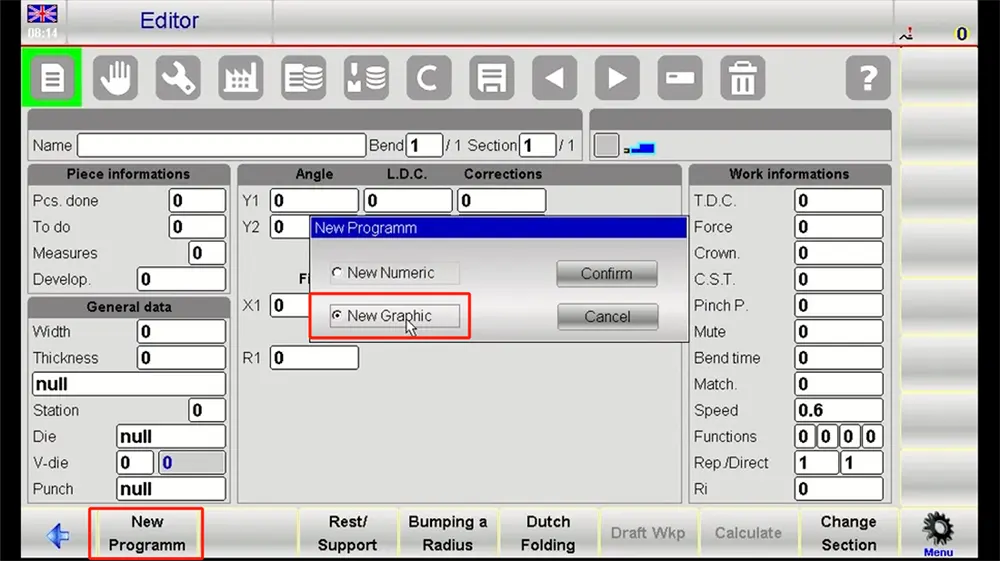
قبل المتابعة, تأكد من أن الجهاز مجهز بالأدوات المناسبة في المواقع المرجعية الصحيحة. تسلسل البرمجة لا يكون موثوقا إلا بقدر الإعداد الفيزيائي الذي خلفه.
- بناء ملف قطعة العمل
في الواجهة الرسومية, أنشئ مخطط الجزء بناء على ملف القوس المطلوب. للعمل ذو نصف القطر الكبير, يجب على المشغل أن يولي اهتماما دقيقا للهندسة العامة بدلا من اعتبار القوس منحنى مجرد واحد. نصف القطر, نقاط الانتقال, أقسام الحافة, وطول الانحناء الكلي يجب أن يعكس رسم الإنتاج.
استخدم أدوات الرسم المتاحة لتعريف قسم القوس بوضوح. غالبا ما يكون من المفيد التحقق من ما يلي:
• نقاط بداية ونهاية القوس
• القيمة المطلوبة لنصف القطر
• الطول الكلي للقوس
• إذا كان الجزء يتضمن مقاطع مستقيمة متجاورة
• خصائص المادة الاتجاهية كما تتعلق بسلوك الانحناء
• الملف الفني المنظم في هذه المرحلة يبسط التعديلات المستقبلية بشكل كبير.
- أدخل المواد ومعايير العملية
بعد تعريف الهندسة, إدخال نوع المادة, سمك الصفائح, وأي بيانات عملية ضرورية أخرى. هذه الخطوة ضرورية لأن نتائج نصف القطر الكبير تتأثر بشدة بسلوك المادة. ستانلس ستيل, الفولاذ الطري, والألمنيوم لا يستجيب بنفس الطريقة أثناء الانحناء المتدرج.
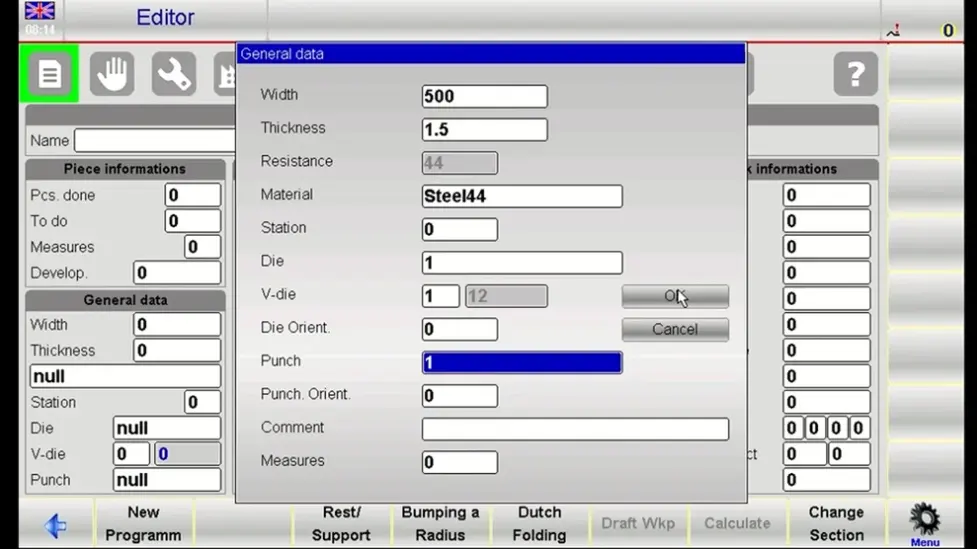
يستخدم ESA S860 هذه المعلومات لدعم حساب الانحناء وتخطيط العمليات. إذا كانت ورشتك تحتوي على قيم ارتداد معروفة أو منطق تصحيح مفضل لمواد معينة, أدخلها في هذه المرحلة بحيث يعكس البرنامج ظروف الإنتاج الحقيقية بدلا من القيم النظرية فقط.
- توليد تسلسل الانحناء تلقائيا
بمجرد أن تكون الملف الشخصي والمعلومات المادية جاهزة, استخدم دالة الحساب التلقائية في وحدة التحكم لتوليد مسار الانحناء. سيحسب ESA S860 سلسلة من الانحناءات التدريجية التي تقارب القوس الكبير المطلوب.
توفر هذه الوظيفة التلقائية الوقت, لكن لا يجب أن تحل محل المراجعة أبدا. لا يزال المشغل بحاجة للفحص:
• عد الانحناءات
• تباعد الخطوات
• توزيع الزوايا
• توافق الأدوات
• جدوى التعامل مع الأجزاء أثناء التسلسل
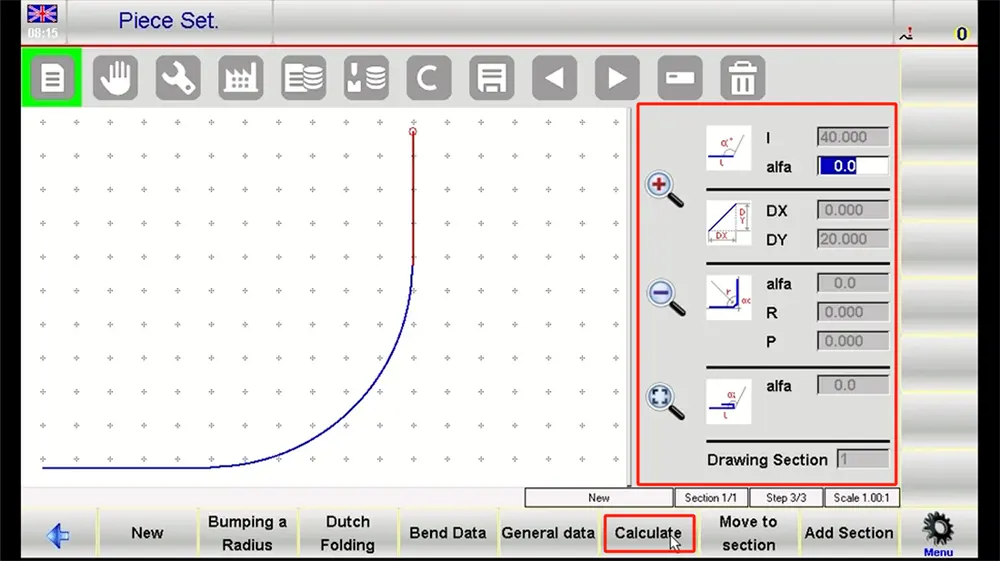
إذا بدا البرنامج المولد عدوانيا جدا أو خشنا جدا, قم بتنقيحها يدويا. القوس الأكثر نعومة غالبا يعتمد على الشكل الأصغر, خطوات تشكيل متوازنة جيدا.
- محاكاة والتحقق من البرنامج
شغل المحاكاة قبل إرسال المهمة إلى الجهاز. هذه واحدة من أكثر المراحل قيمة في سير عمل الضغط على فرامل ESA S860. تساعد المحاكاة المشغل على التحقق مما إذا كانت السلسلة منطقية, ما إذا كان اتجاه الجزء صحيحا, وما إذا كان يمكن أن يظهر أي تداخل أثناء الانحناء.
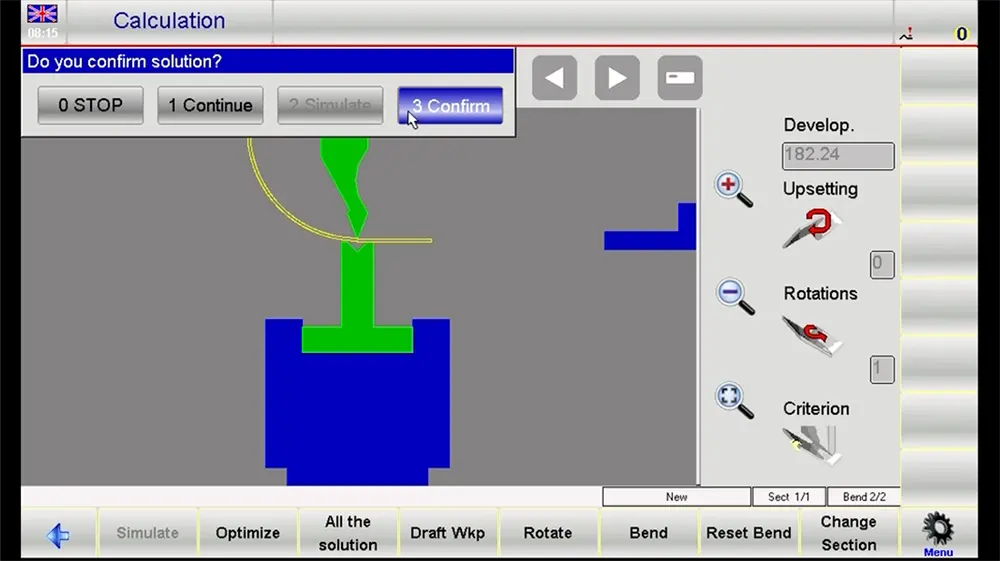
عند المراجعة, تأكد من ما يلي:
• استمرارية القوس عبر كامل منطقة الانحناء
• تصادمات محتملة بين الأدوات وقطع العمل
• ملاءمة العداد الخلفي (إذا كان ذلك مناسبا) في التسلسل
• التنقل الزائد أو الحركات التي قد لا تكون واقعية
• الرسم مقابل اتساق الشكل النهائي
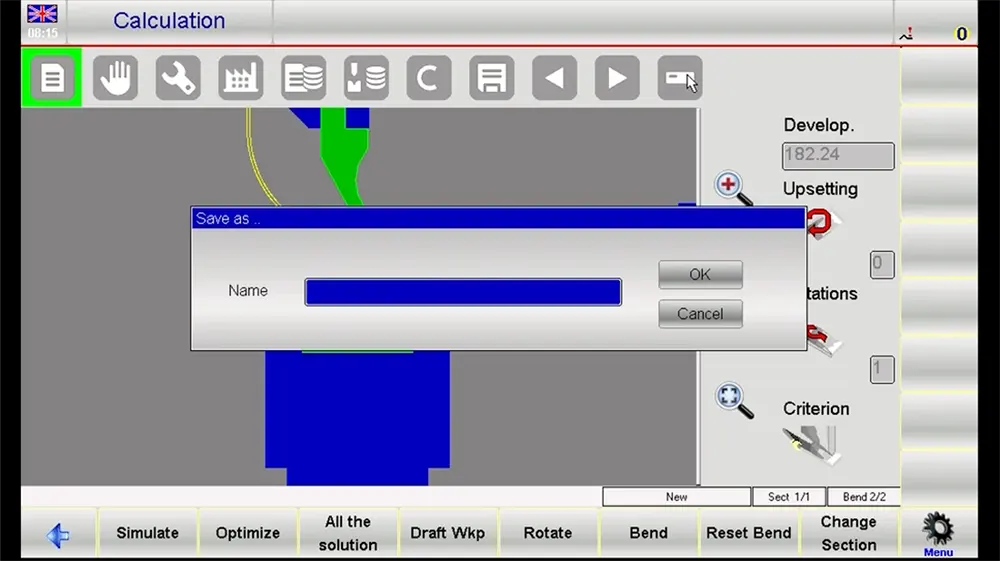
إذا لزم الأمر, ارجع إلى الخطوات السابقة, وإجراء تعديلات على زيادات الانحناء أو قيم التعويض.
- احفظ واستعد للإنتاج
بمجرد تأكيد المحاكاة, احفظ البرنامج مع اسم جزء واضح وقابل للتعرف عليه ونسخة. بعد ذلك, انتقل إلى وضع التشغيل واستعد لجولة القطعة الأولى. يجب على المشغل أيضا التأكد من تركيب الأدوات, المادة محاذية, والآلة جاهزة للعمل قبل التكوين.
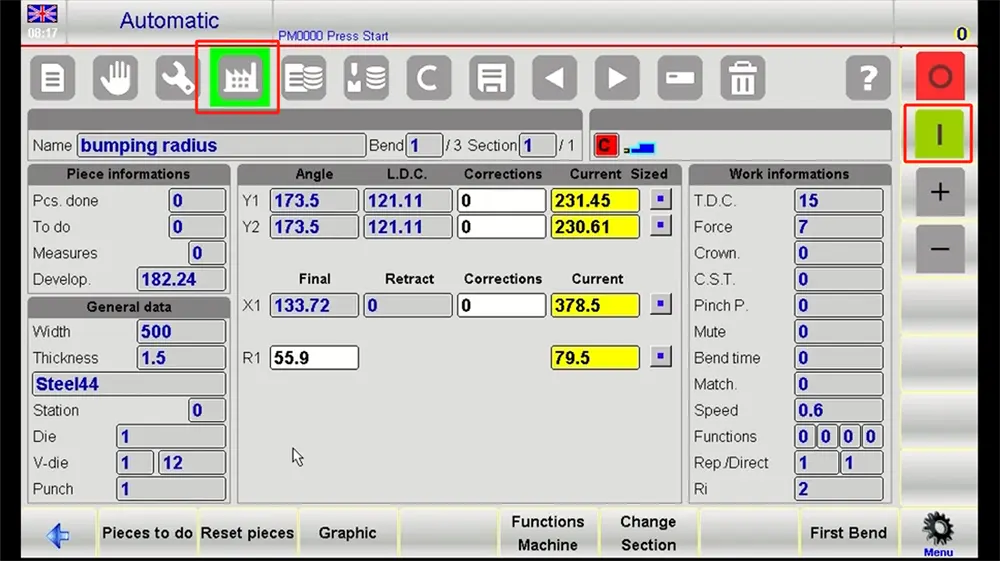
الخطوات التفصيلية fأو البرمجة الرقمية oإذا كان ذلك S860
• إنشاء برنامج جديد
في النمط العددي, ابدأ بإنشاء ملف برنامج جديد. هنا يأتي اسم برنامج عملي يساعد في الاسترجاع المستقبلي. هذه الطريقة مفيدة للمشغلين الذين يفضلون إدخال المعاملات مباشرة أو يحتاجون لبناء مهمة من بيانات الأبعاد بدلا من ملف مرسوم.
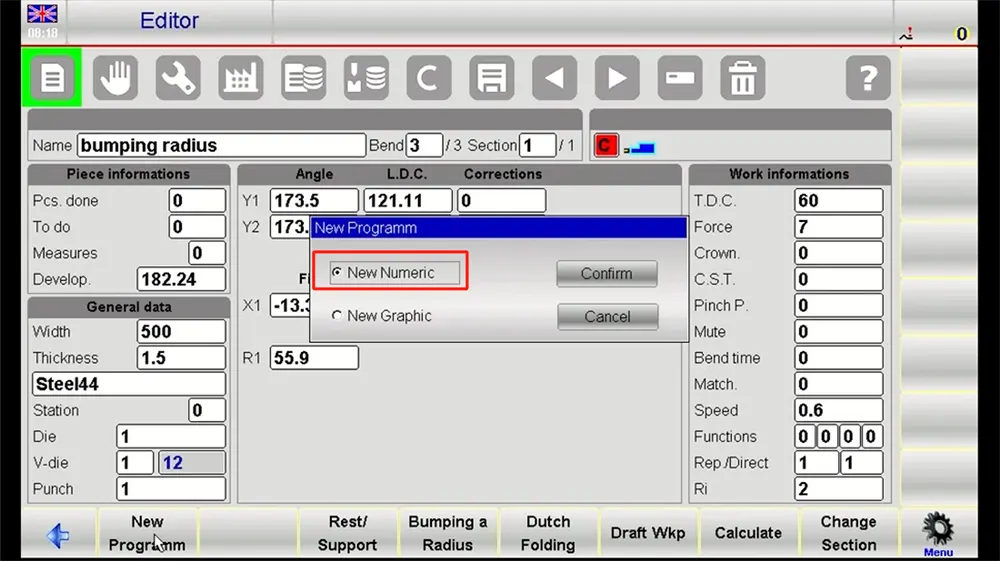
للتطبيقات ذات نصف القطر الكبير, حدد نوع الوظيفة بطريقة تعكس طريقة التشكيل الفعلية المستخدمة.
• إدخال بيانات المواد
هنا يأتي نوع المادة, سمك, وقيم التصحيح ذات الصلة. هذا هو أساس البرنامج. إذا كان لدى المادة ميل معروف نحو الارتداد الارتدادي, يجب تضمين التعويض مبكرا بدلا من تركه لتعديل متكرر على الجهاز.
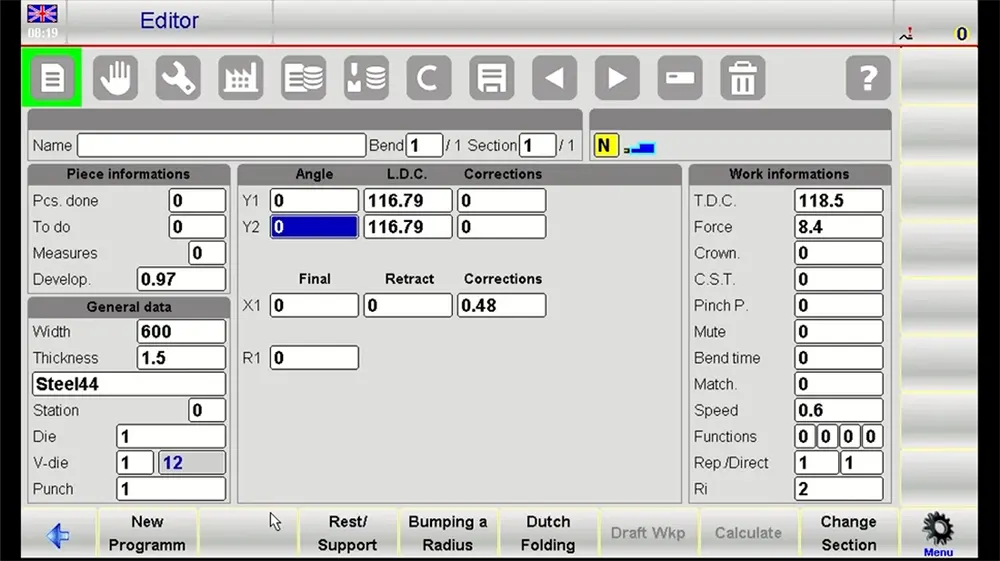
• تعيين معايير الانحناء الرئيسية
التالي, إدخال بيانات القوس الأساسية. عادة ما يشمل هذا نصف قطر الهدف, زاوية الانحناء الكلية, وطول الانحناء الفعال. يجب أن تتطابق هذه القيم مع متطلبات الرسم الفني والعملية.
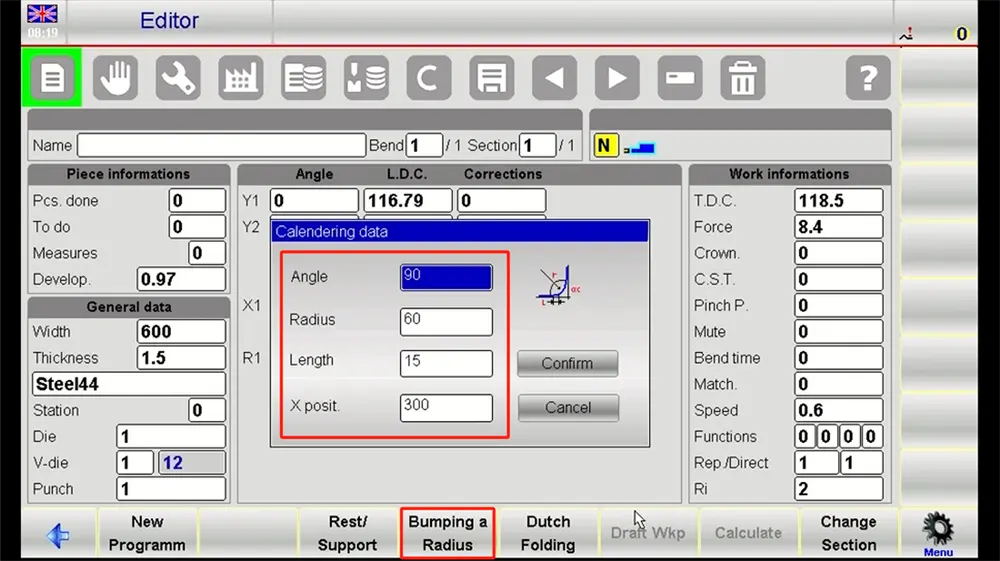
يستخدم جهاز ضغط فرامل ESA S860 هذه المعلومات لتنظيم المنطق العددي للمهمة. الدقة هنا تؤثر مباشرة على جودة تقدم الانحناء الناتج.
• تعريف خطوات الانحناء
قسم القوس الكبير إلى خطوات تشكيل فردية. يمكن أيضا تشكيل المنحنى من خلال تسلسل من زيادات الزوايا المقاسة مع مسافات تغذية مرتبطة. كمية الخطوة تعتمد على عوامل مثل حجم نصف القطر, اختيار المواد, سمك, ومعيار جودة السطح.
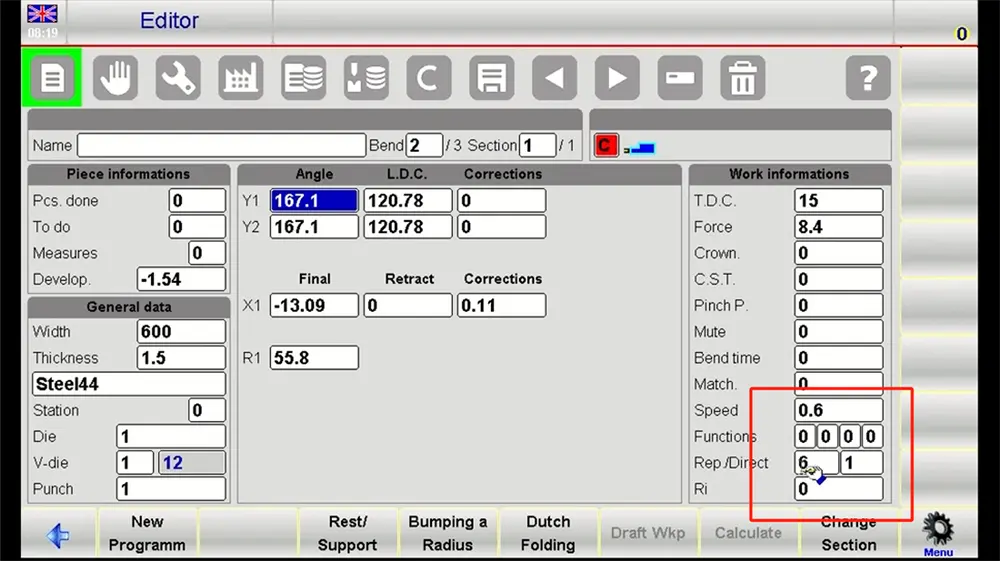
عادة ما تأتي نتيجة نصف قطر كبير أفضل من تخطيط الخطوات المتوازنة بدلا من التصحيح المفرط بعد بدء الإنتاج.
• المحاكاة والتحسين
استخدم دالة المحاكاة في التحكم مرة أخرى لمراجعة البرنامج الرقمي. ضع في اعتبارك الواقعية وقضايا الاستمرارية. هل تواجه الآلة صعوبة في تنفيذ بعض الخطوات, دع المحاكاة تعمل قبل الانتقال إلى فرامل الضغط, و, في حال ضعف استمرارية القوس, عدل قبل الانتقال.
• الحفظ والتنفيذ
بمجرد أن تتحقق من البرنامج الرقمي, يجب عليك حفظ البرنامج في مكتبة البرامج الخاصة بالآلة. ثم انتقل إلى وضع التشغيل وحضر أول قطعة تجربة. قس القوس المتكون بعناية وقارنه بالقيمة المستهدفة. قد تكون هناك حاجة إلى بعض التحسينات الصغيرة, لكن برنامج ESA S860 المبني جيدا يجب أن يقلل من كمية التصحيح المطلوبة في أرضية المصنع.
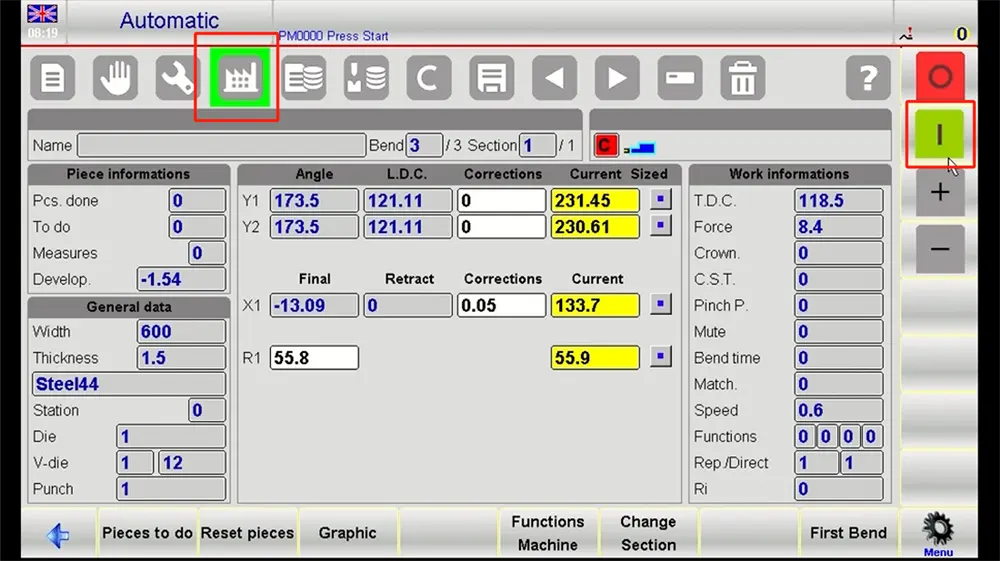
الخاتمة
يوفر فرامل الضغط ESA S860 منصة عملية واحترافية للصانعين لإدارة انحناء قوس نصف قطر كبير من خلال البرمجة الرسومية والعددية. لمستخدمي جافاسكريم راجوس, تكمن قيمتها في البرمجة المنظمة, تحقق أوضح, وتحكم أفضل في العديد من المتغيرات التي تؤثر على جودة القوس.
عندما يتبع المشغلون عملية منضبطة—إنشاء الملف الشخصي, مدخلات المواد, توليد التسلسل, محاكاة, والتحقق من القطعة الأولى — يمكن أن يحسن الاتساق, قلل من وقت الإعداد الضائع, وتحقيق نتائج قوس أكثر سلاسة. في الإنتاج الحقيقي, وهذا أهم بكثير من مجرد إكمال برنامج. يدعم أداء قابل للتكرار في الانحناء, سير عمل أكثر كفاءة, وأساس أقوى للأعمال التصنيعية الصعبة.